Financial Importer
Import bank statement transactions into your monday.com board using AI. No manual data entry. No templates. Just upload and go.
How it works
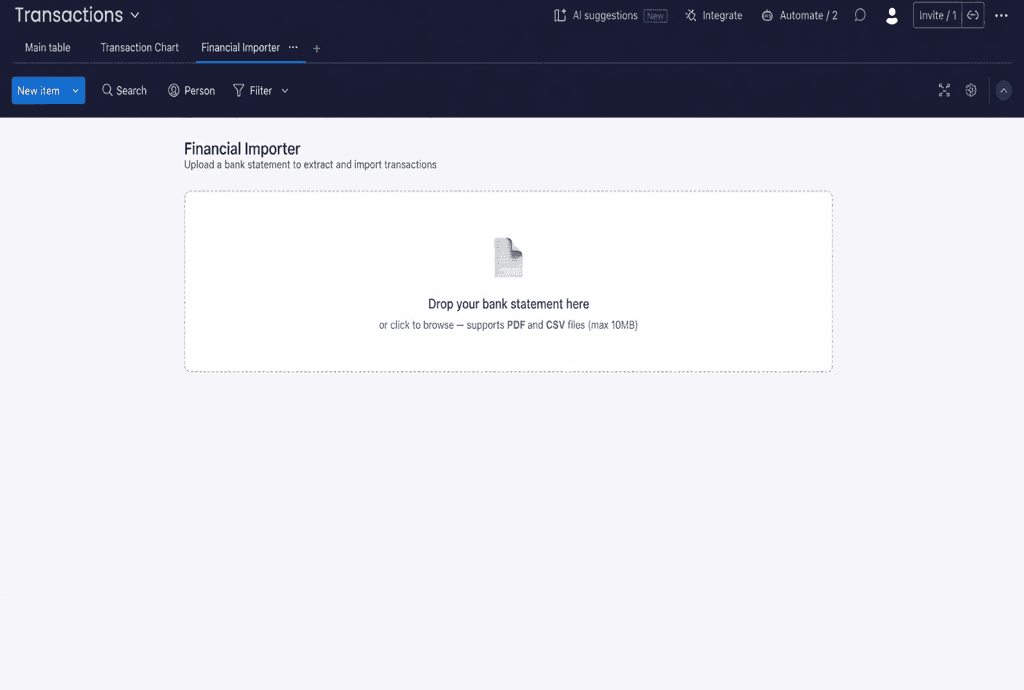
Upload your statement
Drag and drop a PDF or CSV bank statement into the board view. Supports files from any bank, up to 10 MB. The AI processes it instantly.
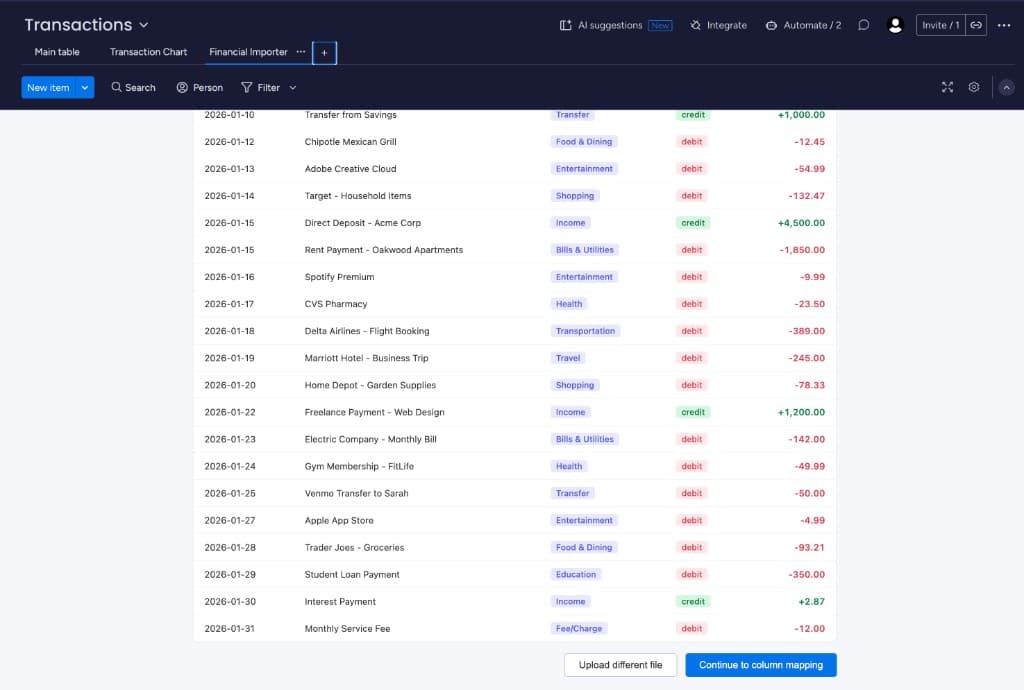
AI extracts every transaction
GPT-4o reads the document and extracts every transaction — date, description, amount, type (credit/debit), and category. Preview the full list before importing.
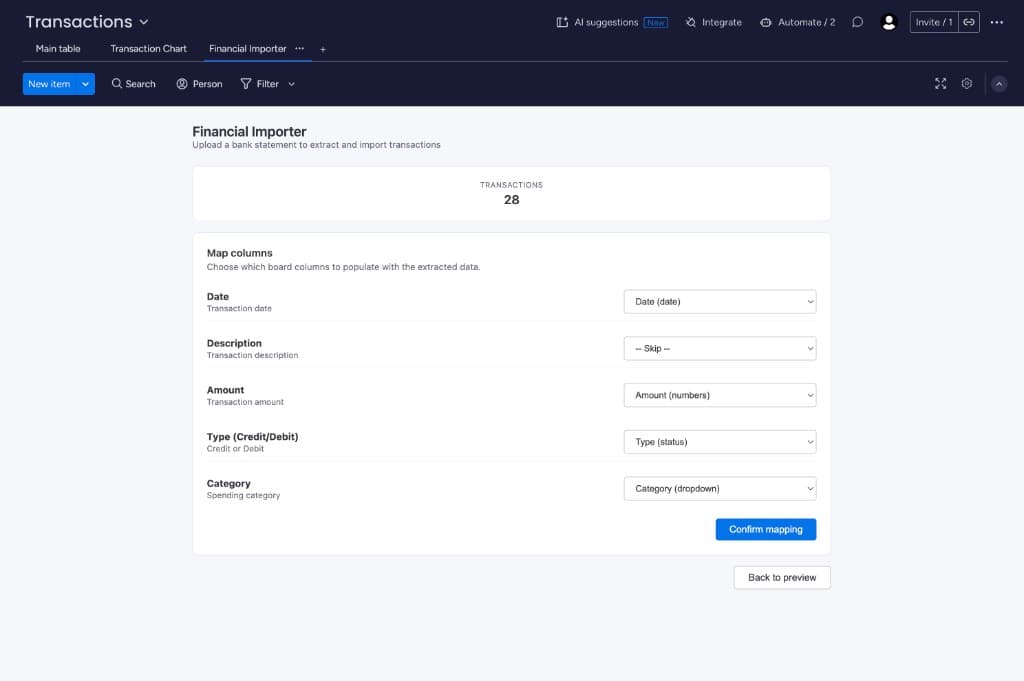
Map to your board columns
The column mapper auto-detects compatible columns on your board. Adjust mappings if needed — supports Date, Numbers, Status, Dropdown, and Text columns.
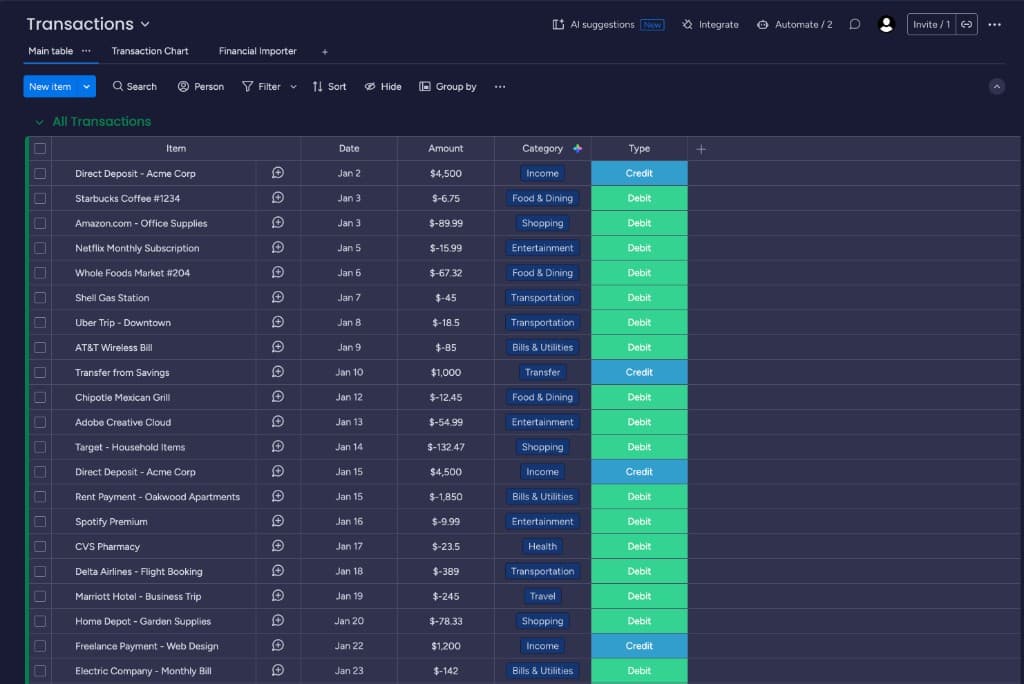
See the results on your board
All transactions appear as board items with properly formatted dates, amounts, categories, and types. Ready for filtering, grouping, and reporting.
Sample extraction
Here's what a typical bank statement extraction looks like. Every row becomes an item on your board.
| Date | Description | Amount | Type | Category |
|---|---|---|---|---|
| 2025-01-15 | Amazon.com Purchase | -$84.99 | Debit | Shopping |
| 2025-01-15 | Salary Deposit — Acme Inc | +$4,500.00 | Credit | Income |
| 2025-01-16 | Netflix Subscription | -$15.99 | Debit | Subscriptions |
| 2025-01-17 | Uber Trip — Airport | -$32.50 | Debit | Transportation |
| 2025-01-18 | Whole Foods Market | -$67.23 | Debit | Food & Dining |
Automatic categorization
Transactions are automatically sorted into 13 categories. Use a Dropdown column on your board for the best filtering experience.
What you need
Your data stays private
Financial Importer is hosted on monday code — your data never leaves the platform. Documents are processed in memory and discarded immediately after extraction. We never store, log, or share your financial data.
Ready to save hours of data entry?
Install Financial Importer from the monday.com marketplace and import your first bank statement in under a minute.